Assignment 03
Narrative Zine
You’re tasked to create a sixteen page zine that tells a story. Consider not only the design, but the content and pacing of your narrative. Think of something you know: Maybe it's a childhood story. Maybe it's visually interpreting a song you love. Maybe you walk down the street and document your experience. Whatever it is, think about your story as having a narrative that unfolds. This does not mean you must think of your zine as a linear story with a beginning and end.
Your sixteen page zine should be saddle stitched, which means that the booklet will be held together by staples in the center. There is a tool in the print lab that you can use to saddle stitch your booklet if you do not have a stapler. A typical zine is usually no larger than the size is half a letter-size piece of paper, 5.5x8.5in. You can download an example InDesign document here. There is no size constraint, it is up to you.
Your only other restriction is that you must use two colors of ink. The colors are up to you. Also note that the color of your paper does not count as an ink color.
Your zine must be covered with a heavier weight card paper stock as shown in our class demonstration. Your cover should be designed (front and back) to communicates what your book is about.
Deliverables
16 page zine
— Two colors
— Size of designers choosing
— Covered with heavier weight card stock
Timeline
Week 4, 10.2.17
Class was unfortunatly cancelled 😥
Week 5, 10.9.17
Bring in two versions of your zine. One that is in booklet form, and the other that is spreads printed out so you can hang your work on the wall. The one you show in booklet form should be in color. The version you hang can either be in color or black and white. This version does not have to be on your final paper stock choice.
Week 7, 10.23.17
We will have our final crit on your booklets. Bring in your zine perfectly crafted and bound with your finishing options selected and ready to show. Go to a paper store and choose the paper stock you would like your interior pages and cover to be. Paper Presentation is a great resource.
Background
In this assignment you’re essentially creating a ‘signature’, one of multiple groups of pages that make a book. You’ll need to use ‘imposition’ to make sure your pages print in the right order. In Indesign you can use the file > print booklet menu to print your booklet with imposition.
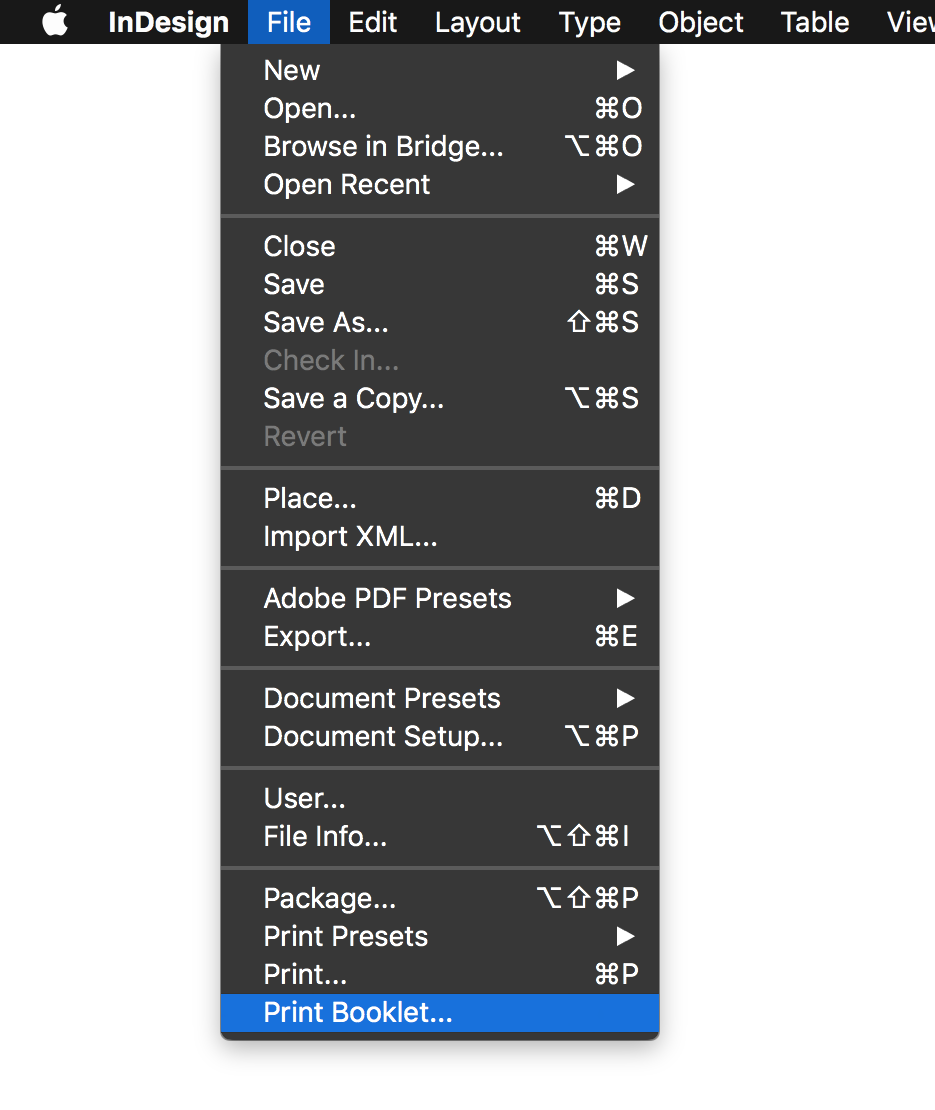
File > Print Booklet
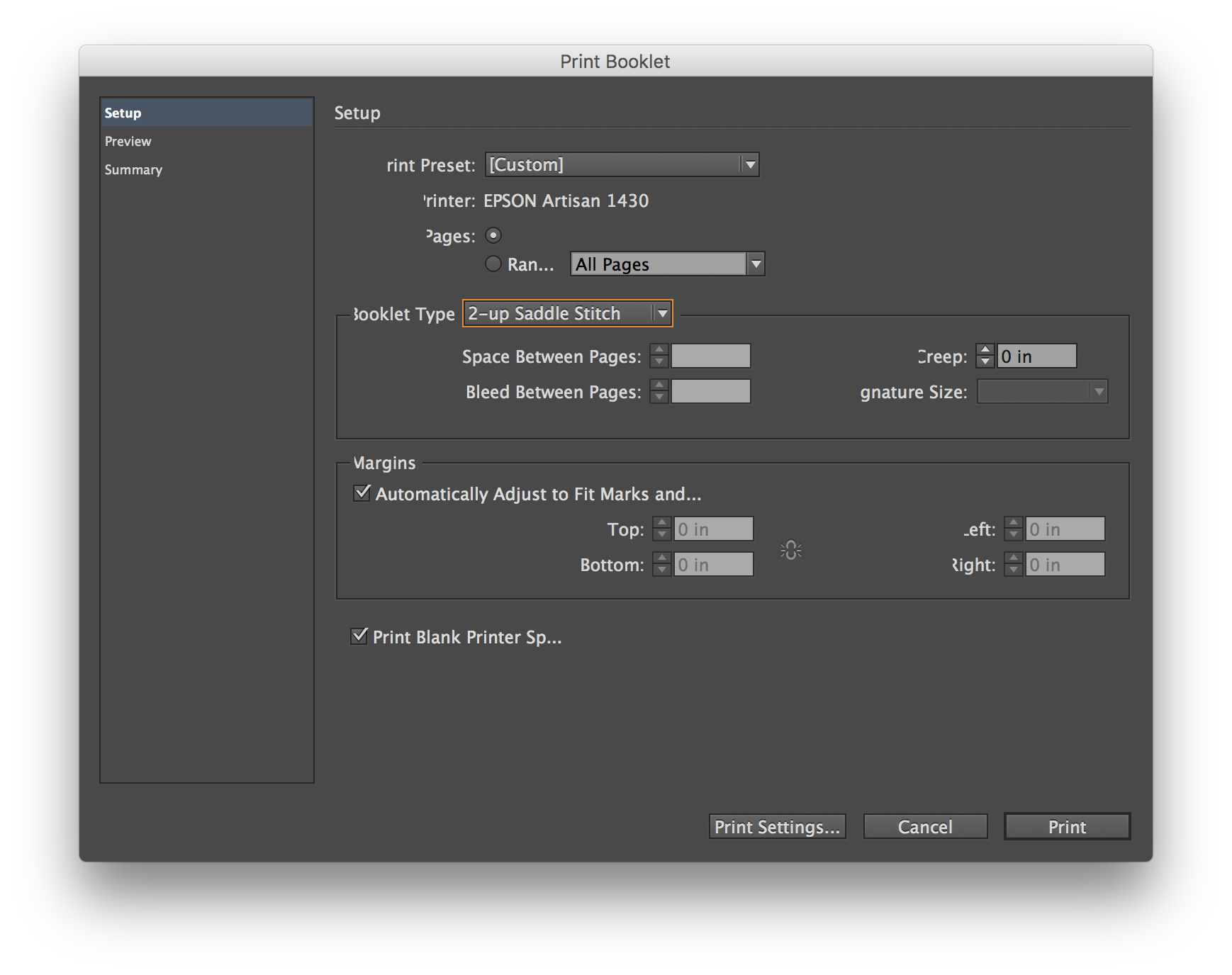
Booklet Type is '2-up saddle stitched'
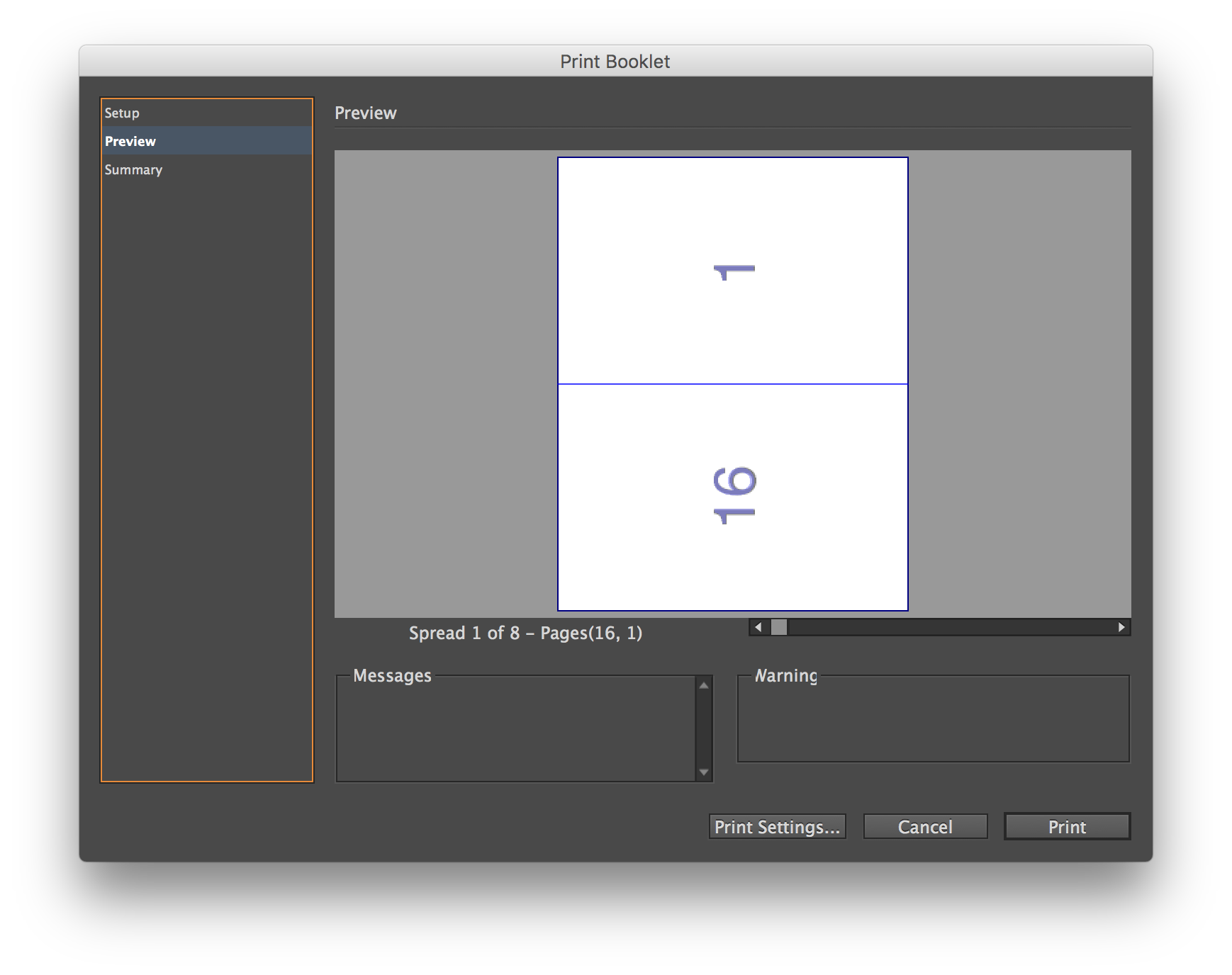
Make sure the preview window looks right (page 1 is next to page 16, 2 is next to 15, etc.)
Heres a great video walkthrough that will show you how to set up a booklet, step by step. He mentions that you can't make art in InDesign but you totally can, most things you can do in Illustrator you can do in InDesign.
If you're struggling with InDesign tools watch this video.
This is an introduction to InDesign and why we use it. It's longer than the rest but will give you the most comprehensive tour of the program.